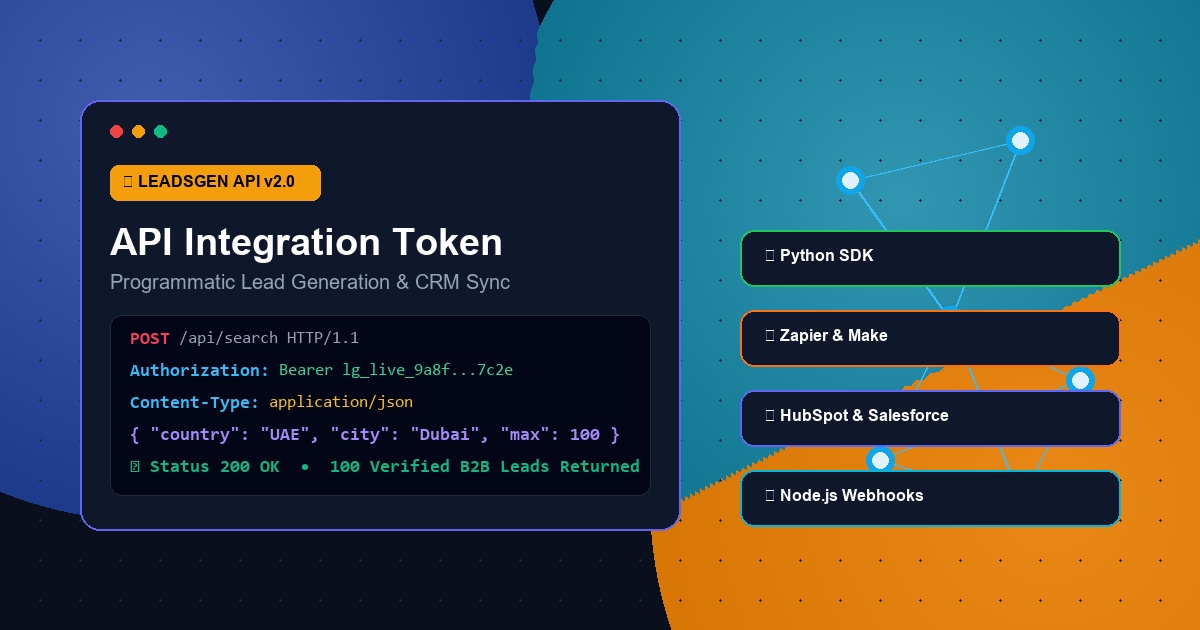
Mastering B2B Data Automation: The Ultimate Guide to API Integration Tokens
In modern revenue operations and growth engineering, manual prospecting is no longer scalable. High-performing sales teams, growth marketers, and engineering teams rely on programmatic data pipelines to discover, enrich, and route high-intent decision-maker leads directly into their CRMs and outreach sequences.
At the center of this automation lies your LeadsGen API Integration Token.
This comprehensive developer playbook explains what an API Integration Token is, why it is essential, and how you can use it to build automated pipelines using Python, Node.js, cURL, Zapier, Make.com, and CRM integrations.
◈ 🔑 1. What is an API Integration Token?
An API (Application Programming Interface) Integration Token is a secure, cryptographically generated alphanumeric key that acts as your application's digital passport.
Instead of entering your personal email and password every time an automated script runs, your software passes this secret Bearer token in the HTTP request header:
Authorization: Bearer YOUR_API_INTEGRATION_TOKENWhy Use an API Token Instead of Manual Scraping?
- • Zero Manual Effort: Search and download 1,000s of companies and decision-maker contacts in seconds on a scheduled cron job.
- • Instant CRM Sync: Push enriched company records directly to HubSpot, Salesforce, Pipedrive, or Google Sheets the moment they are discovered.
- • Granular Security: Your token only grants access to lead queries and credit deduction without exposing your master billing or account login credentials.
- • Instant Revocation: If a token is ever accidentally leaked in public code, you can regenerate it instantly with a single click in your Account Settings.
◈ 🛠️ 2. How to Authenticate with the LeadsGen API
Every API request to LeadsGen requires passing your API Integration Token in the HTTP headers using standard RFC Bearer authentication:
POST /api/search HTTP/1.1
Host: leadsgen.net
Authorization: Bearer YOUR_SECRET_API_TOKEN
Content-Type: application/json
(Alternatively, the API also supports the standard X-API-Key: YOUR_SECRET_API_TOKEN header).
◈ 💻 3. Real-World Code Examples
A. Python Automation Script
Here is a complete, production-ready Python script using the requests library to search for verified companies, check credit balance, and export results directly to a CSV file:
import requests
import csv
import json

# Your API credentials & target parameters
API_TOKEN = "YOUR_API_INTEGRATION_TOKEN_HERE"
API_URL = "https://leadsgen.net/api/search"

headers = {
    "Authorization": f"Bearer {API_TOKEN}",
    "Content-Type": "application/json"
}

payload = {
    "country": "United Arab Emirates",
    "city": "Dubai",
    "industry": "Real Estate & Property Development",
    "max_results": 20
}

print(f"🚀 Querying LeadsGen Intelligence Engine for {payload['industry']} in {payload['city']}...")

response = requests.post(API_URL, headers=headers, json=payload, timeout=30)

if response.status_code == 200:
    data = response.json()
    leads = data.get("leads", [])
    remaining_credits = data.get("user_credits", {})

    print(f"✅ Successfully retrieved {len(leads)} verified companies!")
    print(f"💳 Remaining Search Balance: {remaining_credits.get('search_credits')} credits
")

    # Export to CSV
    with open("dubai_real_estate_leads.csv", "w", newline="", encoding="utf-8") as f:
        writer = csv.writer(f)
        writer.writerow(["Company Name", "Phone", "Email", "Website", "City", "Country", "Rating"])

        for lead in leads:
            writer.writerow([
                lead.get("title", ""),
                lead.get("phone", ""),
                lead.get("email", ""),
                lead.get("website", ""),
                lead.get("city", "Dubai"),
                lead.get("country", "United Arab Emirates"),
                lead.get("rating", "")
            ])

    print("📁 Saved leads to 'dubai_real_estate_leads.csv'!")
else:
    print(f"❌ Error {response.status_code}:", response.text)
B. cURL (Terminal / Bash Execution)
You can test and query the API in one line directly from any terminal or Linux server:
curl -X POST "https://leadsgen.net/api/search" \
     -H "Authorization: Bearer YOUR_API_INTEGRATION_TOKEN" \
     -H "Content-Type: application/json" \
     -d '{
       "country": "Qatar",
       "city": "Doha",
       "industry": "Hotels & Hospitality",
       "max_results": 10
     }'
C. Node.js / JavaScript Integration
For web developers building SaaS products, internal dashboards, or automated webhooks:
const axios = require('axios');
const fs = require('fs');

async function fetchB2BLeads() {
  const API_TOKEN = 'YOUR_API_INTEGRATION_TOKEN';

  try {
    const response = await axios.post(
      'https://leadsgen.net/api/search',
      {
        country: 'France',
        city: 'Paris',
        industry: 'Luxury Fashion & Retail',
        max_results: 15
      },
      {
        headers: {
          'Authorization': `Bearer ${API_TOKEN}`,
          'Content-Type': 'application/json'
        }
      }
    );

    console.log('✅ Found', response.data.leads.length, 'companies!');
    console.log('Sample Company:', response.data.leads[0]?.title);

  } catch (error) {
    console.error('❌ API Error:', error.response?.data || error.message);
  }
}

fetchB2BLeads();
◈ ⚡ 4. No-Code Automations: Zapier & Make.com
You do not need to write code to benefit from your API Integration Token! You can connect LeadsGen with 5,000+ business applications:
[ New Row in Google Sheets ]
           ⬇️
[ Webhook to LeadsGen API (Bearer Token) ]
           ⬇️
[ Auto-Create Contact in HubSpot / Salesforce ]
           ⬇️
[ Instant Slack Alert to Sales Team ]
Step-by-Step Setup in Zapier:
- Create a new Zap and choose "Webhooks by Zapier" as the Action.
- Select "Custom Request" (POST) with URL:
https://leadsgen.net/api/search. - In the Headers section, add:
- •
Authorization:Bearer YOUR_API_INTEGRATION_TOKEN - •
Content-Type:application/json
- In the Data body, pass your dynamic parameters:
   {
     "country": "{{1.Country}}",
     "city": "{{1.City}}",
     "industry": "{{1.Industry}}",
     "max_results": 20
}- Connect the output to HubSpot CRM, Slack, or Google Sheets for continuous lead enrichment on autopilot!
◈ 🔒 5. Security Best Practices & Token Management
Your API Integration Token gives programmatic access to your account's search credits. Follow these essential security rules:
- Never Commit Tokens to Git Repositories: Store your token in environment variables (
.envfiles) rather than hardcoding it in scripts. - Use Server-Side Calls: Never expose your Bearer token in client-side frontend code (public browser JavaScript). Always call the API from your backend or cloud functions.
- Instant 1-Click Key Regeneration: If you suspect your API token was exposed or shared accidentally:
- • Go to Account Settings & Profile ↗.
- • Under the API Integration Token card, click "🔄 Regenerate Key".
- • Your old token is immediately invalidated, and a brand-new 256-bit secure token is provisioned instantly without affecting your subscription or balance.
◈ 🚀 Conclusion: Start Building Your Outbound Sales Machine
With the LeadsGen API Integration Token, you have the full power of our verified global business database at your fingertips. Whether you are automating custom scraping pipelines, building internal enterprise apps, or streaming qualified leads into your CRM, the API is built for high speed, reliability, and precision.
Ready to start building? Grab your secret token from your Account Settings ↗ and launch your first query today!